Restaurant checklists
The closing list that actually gets done.
Start-of-shift and end-of-shift checklists that reset every morning and show up only while your staff are on the clock. Require a photo where it matters, and see what's finished in real time — before you find out the hard way tomorrow.
No credit card · 3 months free
Tasks & checklists
Every shift starts set and ends set — with a photo to prove it.
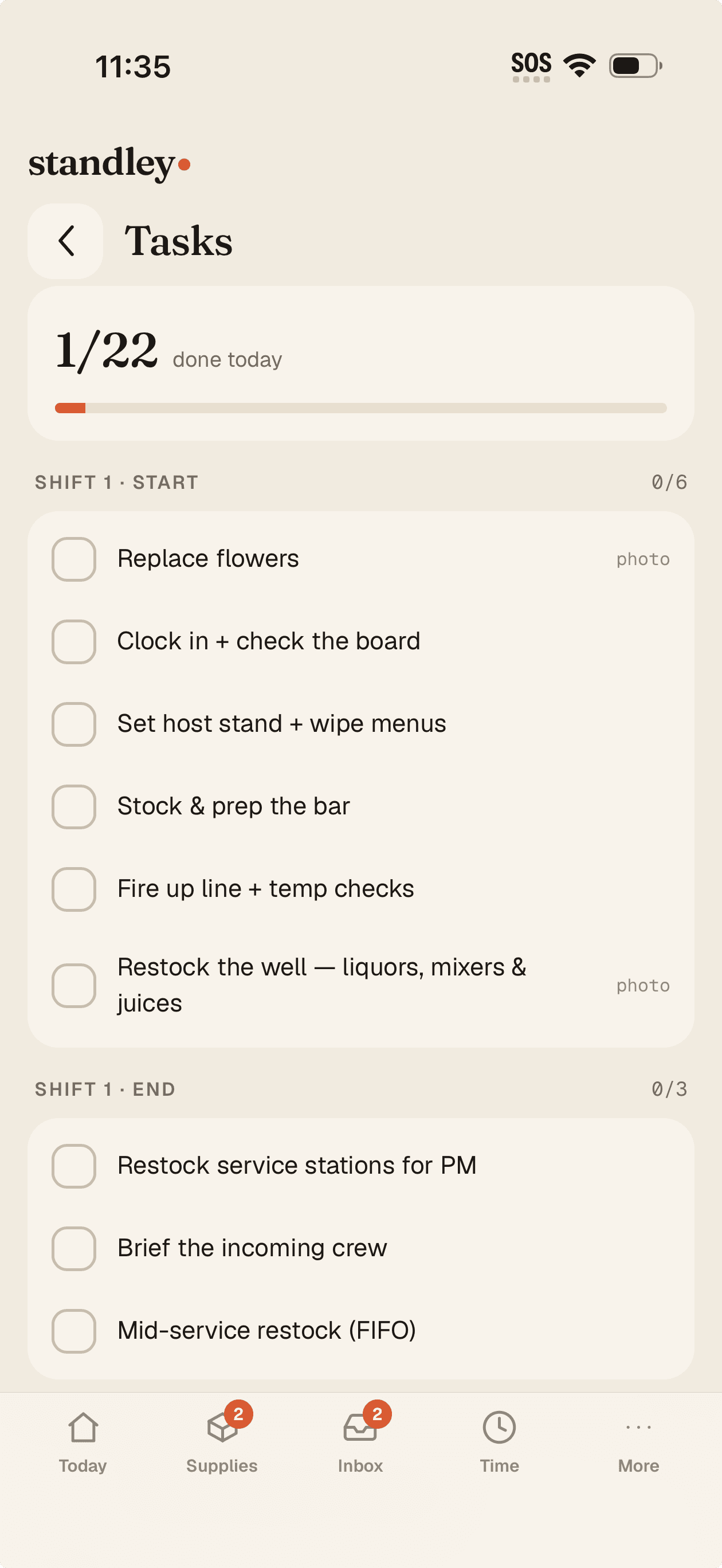
Write each shift's start and end lists once; they reset with every shift. Staff are routed to their shift automatically by their schedule — they only ever see “Start of shift” and “End of shift.” Attach a reference photo so it's done right, and require a photo to complete the ones that matter.
Visible only while they're clocked in — each crew leaves things set for the next
Photo proof timestamped and kept on file
Assign one-off jobs with a "next shift" due date — the person gets a push, you get a badge
They can flag "can't complete this" with a reason — it lands back in your queue, not a text

Built around the shift
A start list and an end list — the way a shift really runs
Write each routine once and standley routes it by the shift someone works: their start-of-shift list first, then the end-of-shift list once it's done — every crew leaves things set and ready for the next. Staff only see the lists that match their role, department, and day — no scrolling past tasks that aren't theirs.
Recurring checklists that reset every morning
A start and end list per shift — routed automatically
Each person sees only their tasks
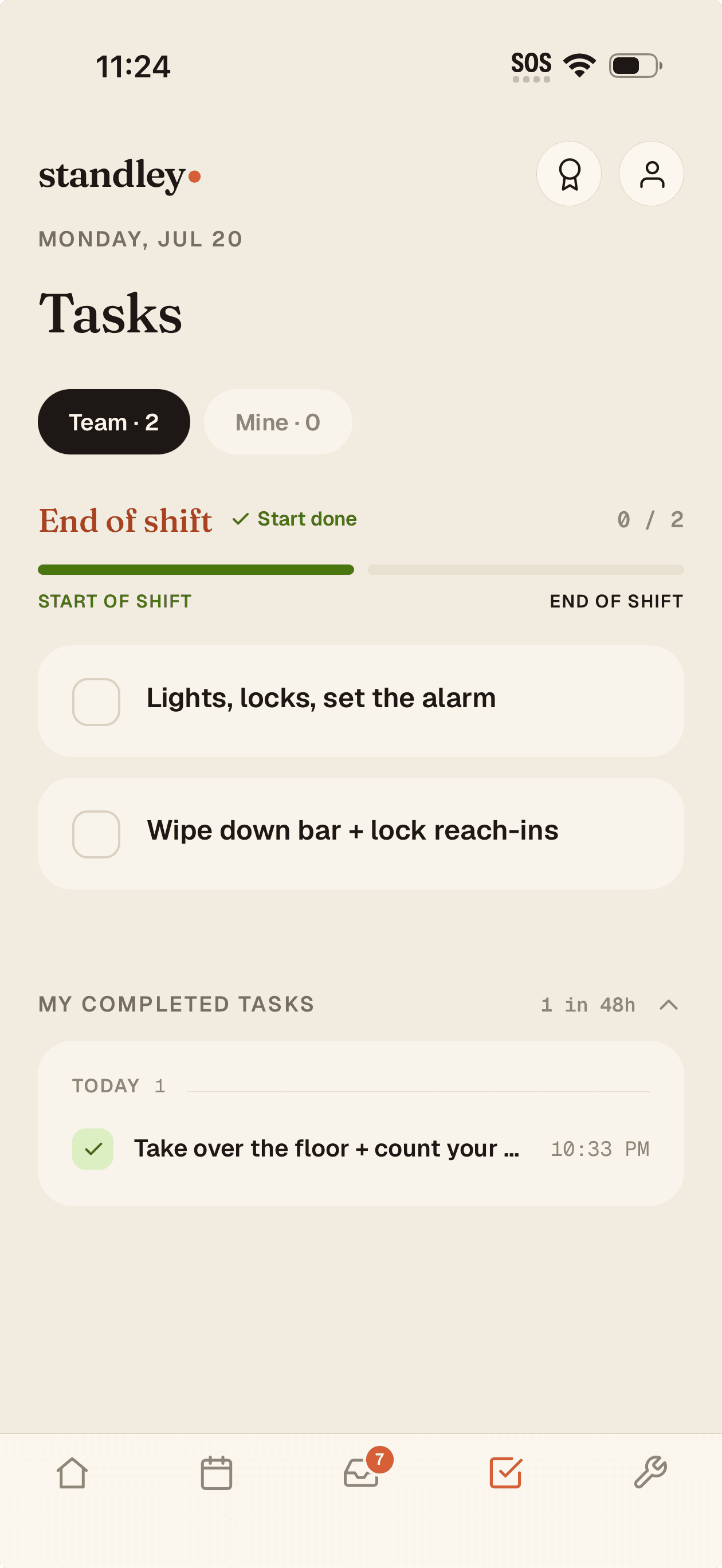
Photo proof
“Done” you can actually see
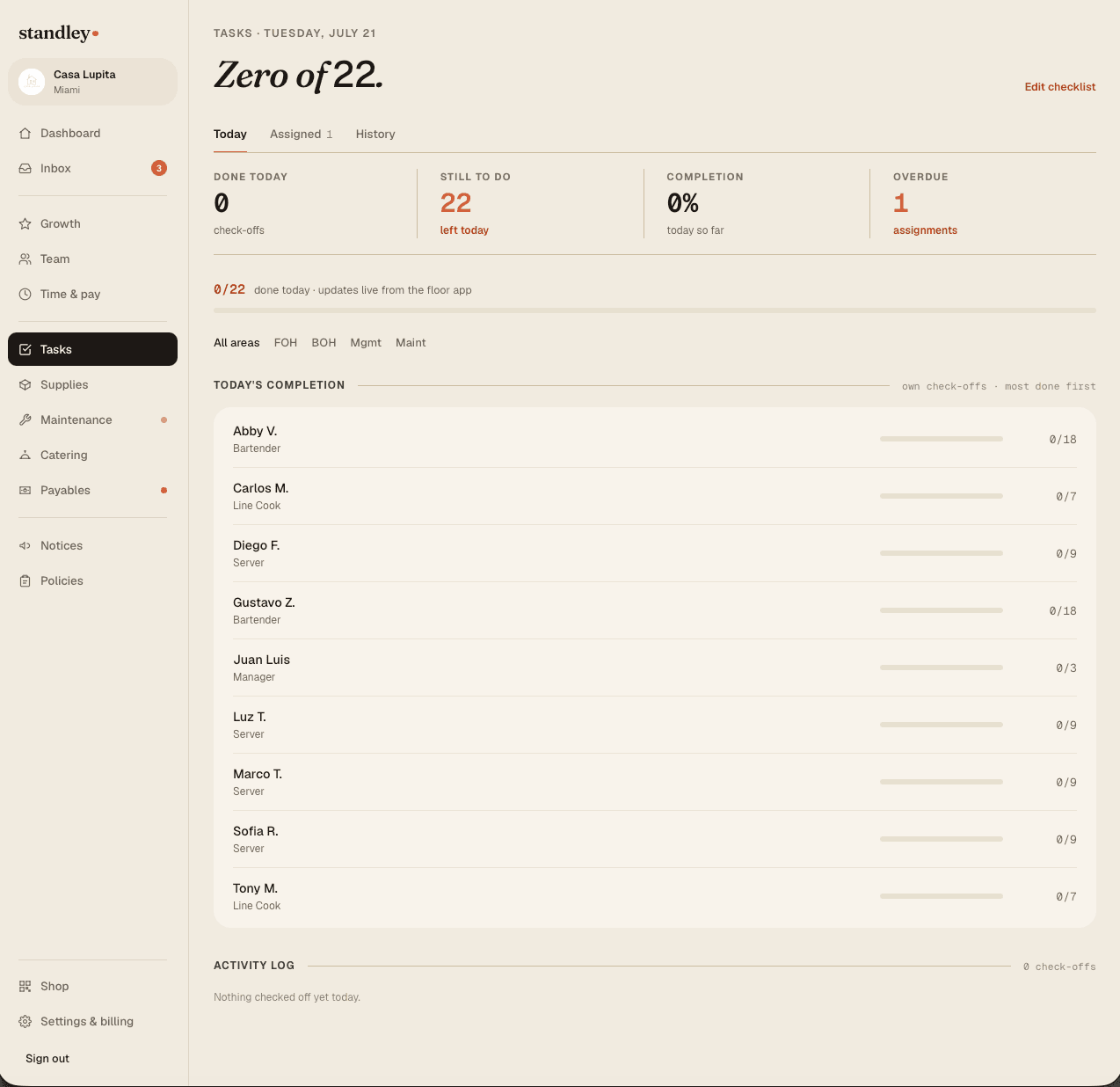
For the tasks that matter — the walk-in temp, the wiped line, the locked safe — require a photo to check it off. Add a reference photo so there's no question what “done” looks like. Completions land in real time, so you watch items check off from the office or from home.
Require a photo as proof on any task
Attach a reference photo of the standard
Completions appear live as they happen
Only while on the clock
Tasks show up when they're supposed to
Checklists are visible only while a staff member is clocked in — so the closing list can't get quietly checked off at noon, and the record reflects who was actually there doing the work.
Before you lock up
An alert before close, not a surprise tomorrow
If the day's list isn't finished, the dashboard card pulses and you get an email 90 minutes before closing. You keep a 14-day history of every check-off, so a pattern is easy to spot and easy to coach.
Owner alert 90 minutes before close if a list is open
14-day history of every completion
Common questions
Can I require photo proof on tasks?
Yes. Any task can require a photo to be checked off, and you can attach a reference photo showing exactly what “done” should look like. It's how you know the walk-in was actually wiped, not just ticked.
What about the closing list?
Every shift's end list covers it — the last crew's end-of-shift list is your closing routine. If it isn't finished, you hear about it 90 minutes before close, not tomorrow morning.
Do checklists reset every day?
Recurring checklists reset every morning. You write each shift's start and end routines once, and standley shows each to the right crew at the right time, then starts fresh the next day.
How do I know if the closing list didn't get finished?
If the day's tasks aren't complete, the owner dashboard card pulses and you get an email 90 minutes before closing — so you can fix it that night instead of discovering it at open.
Can staff check off closing tasks early?
Checklists are only visible while a staff member is clocked in, and the record reflects who did the work and when — so the closing list can't be quietly cleared at noon.
Write your closing list once
Set your opening, mid, and closing routines, turn on photo proof where it counts, and know what's done before you lock up. Free for 3 months — no credit card.
Product
Resources