Restaurant scheduling
Build the week once. The floor covers itself.
A week grid with named shift presets, draft and publish, copy last week, and OFF days. Publish once and it lands on every phone — then let your staff sort out covers without the Saturday-night group text.
No credit card · 3 months free
How a cover happens
A shift changes hands in three taps — and you sign off last.
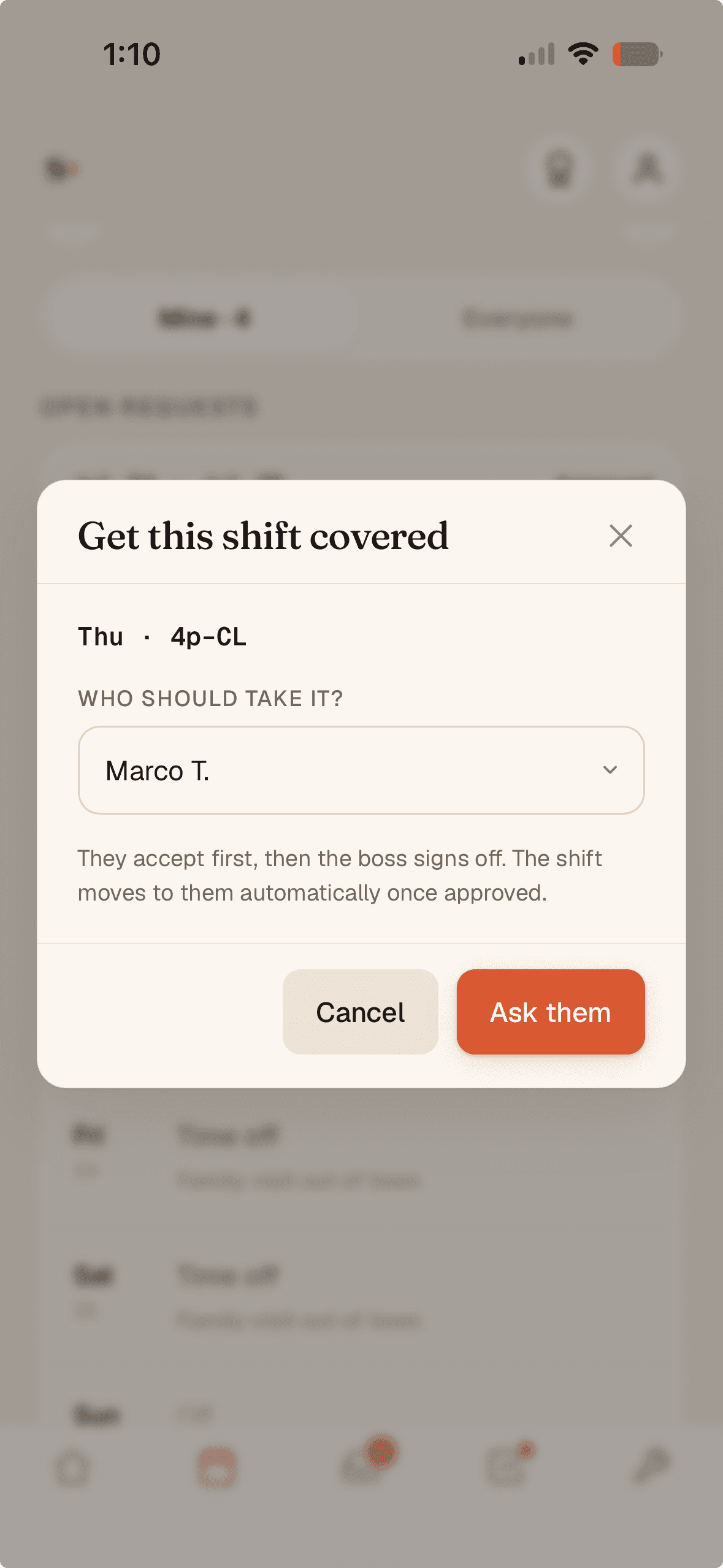
1A server offers the shift up
Pick a teammate to ask — they accept first, then it comes to you.
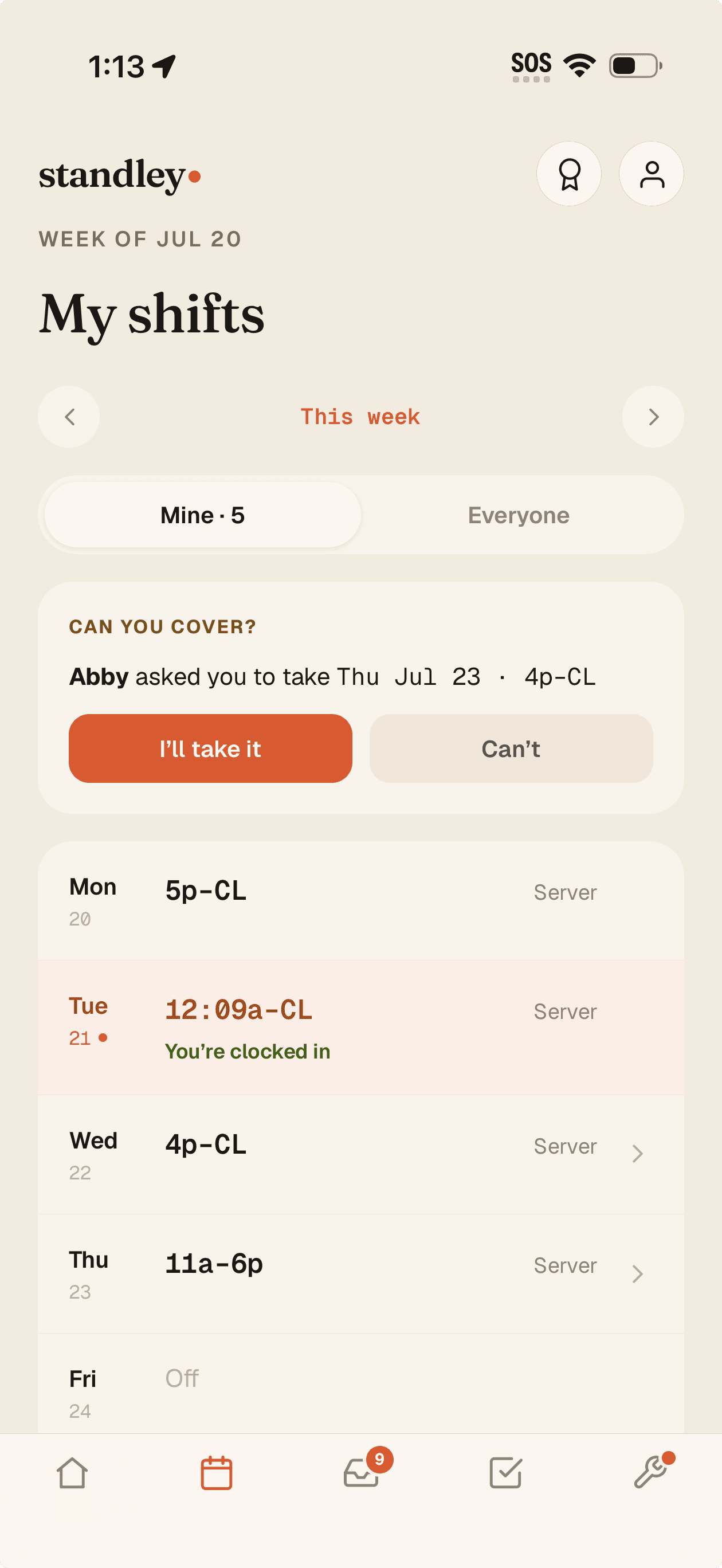
2A teammate taps “I'll take it”
Right from their own week — no group text, no scramble.
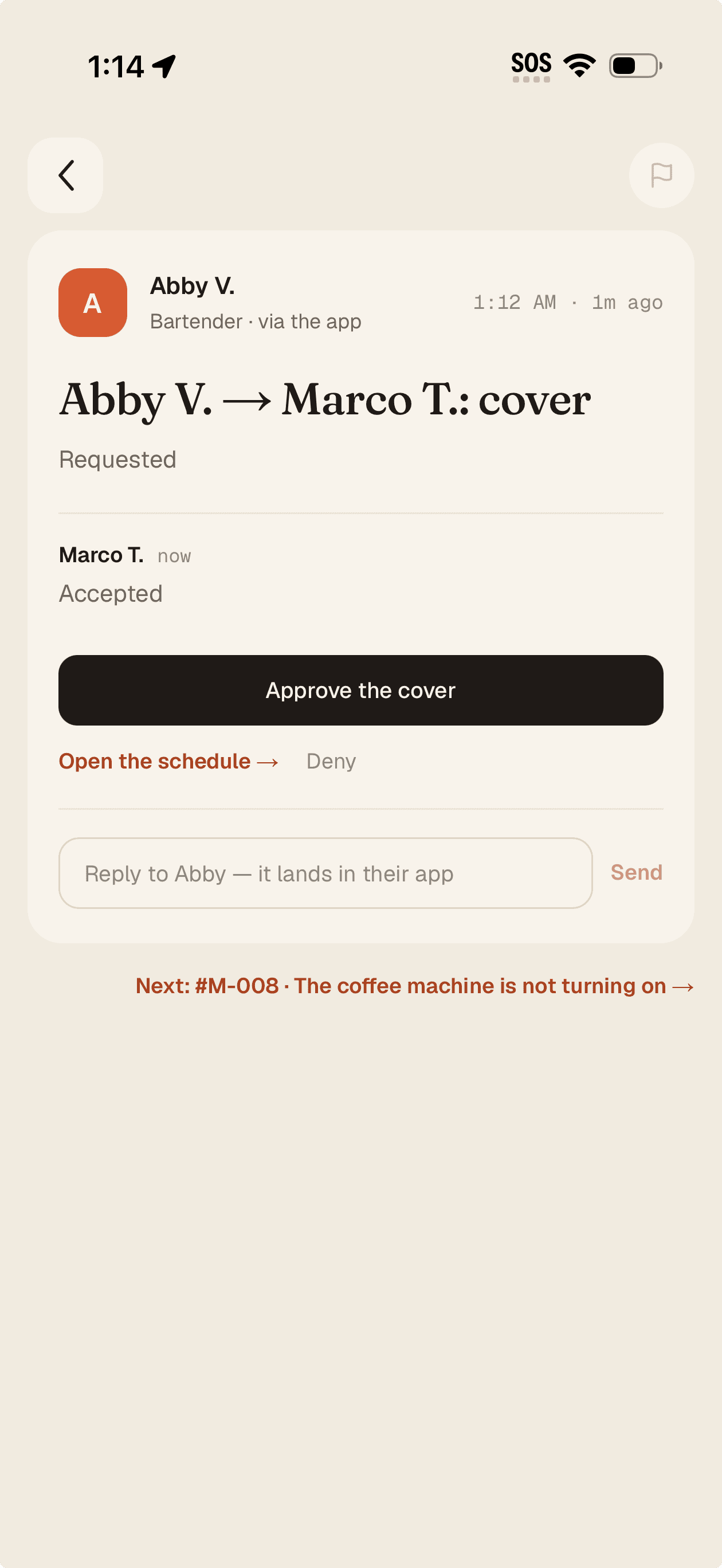
3You approve in one tap
The shift moves automatically — recorded on the day.
Scheduling & covers
Build the week in minutes, not hours.
Name your shifts once — “Lunch,” “Dinner,” “Close” — then place them with a tap. Draft in private, publish when it's ready, copy last week in one click. Time-off lives on the grid, and when someone can't come in, the cover request routes to you for a one-tap approval.
The week grid
Set it up once, reuse it every week
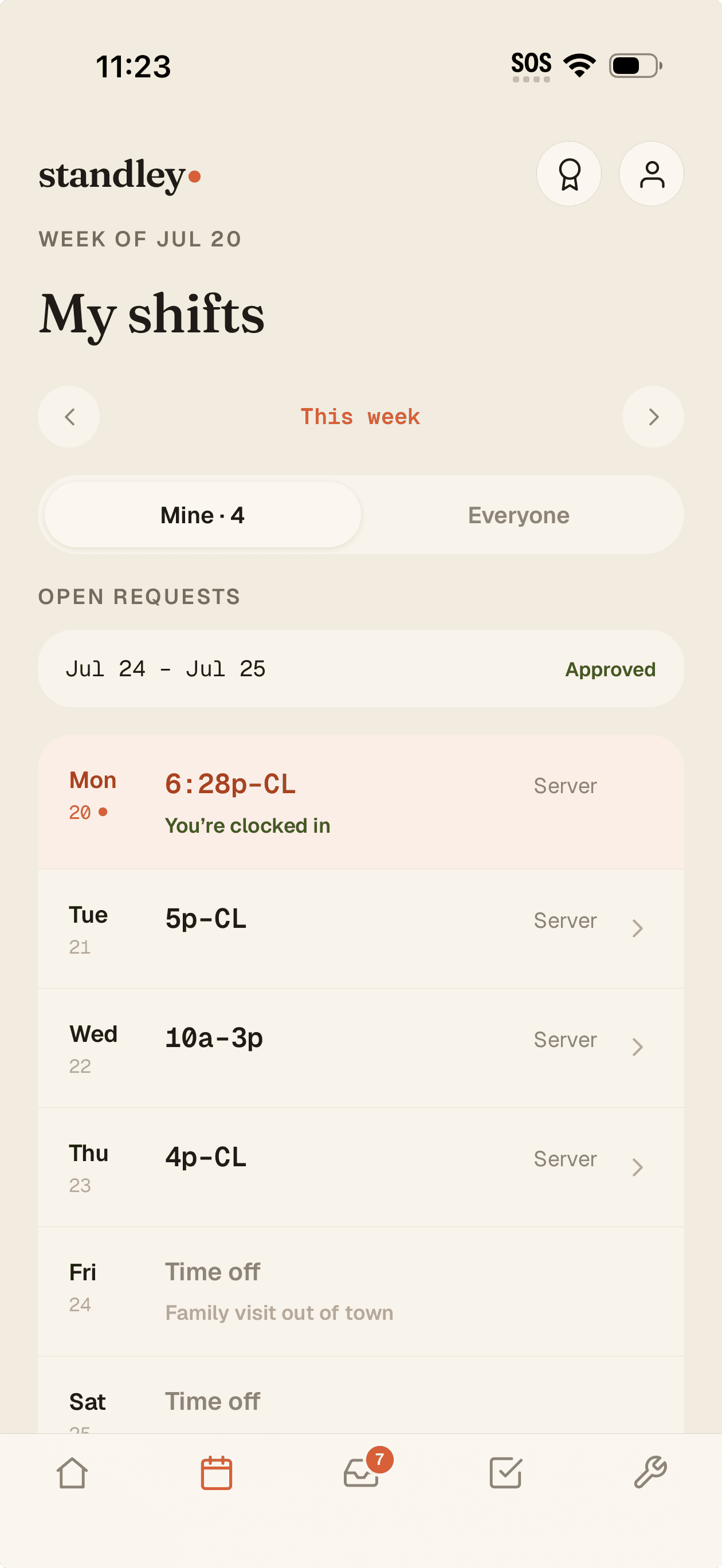
Name your shifts once — “Lunch,” “Close” — and drop them on a grid. Copy last week forward, clear a week, mark OFF days, print it, and set your own week start day. Draft in private, publish when it's ready — and it lands on every phone like this.
Named shift presets you place in a tap
Copy week, clear week, print, OFF days
Owner-set week start day
Covers, handled
“Get it covered” without the group text
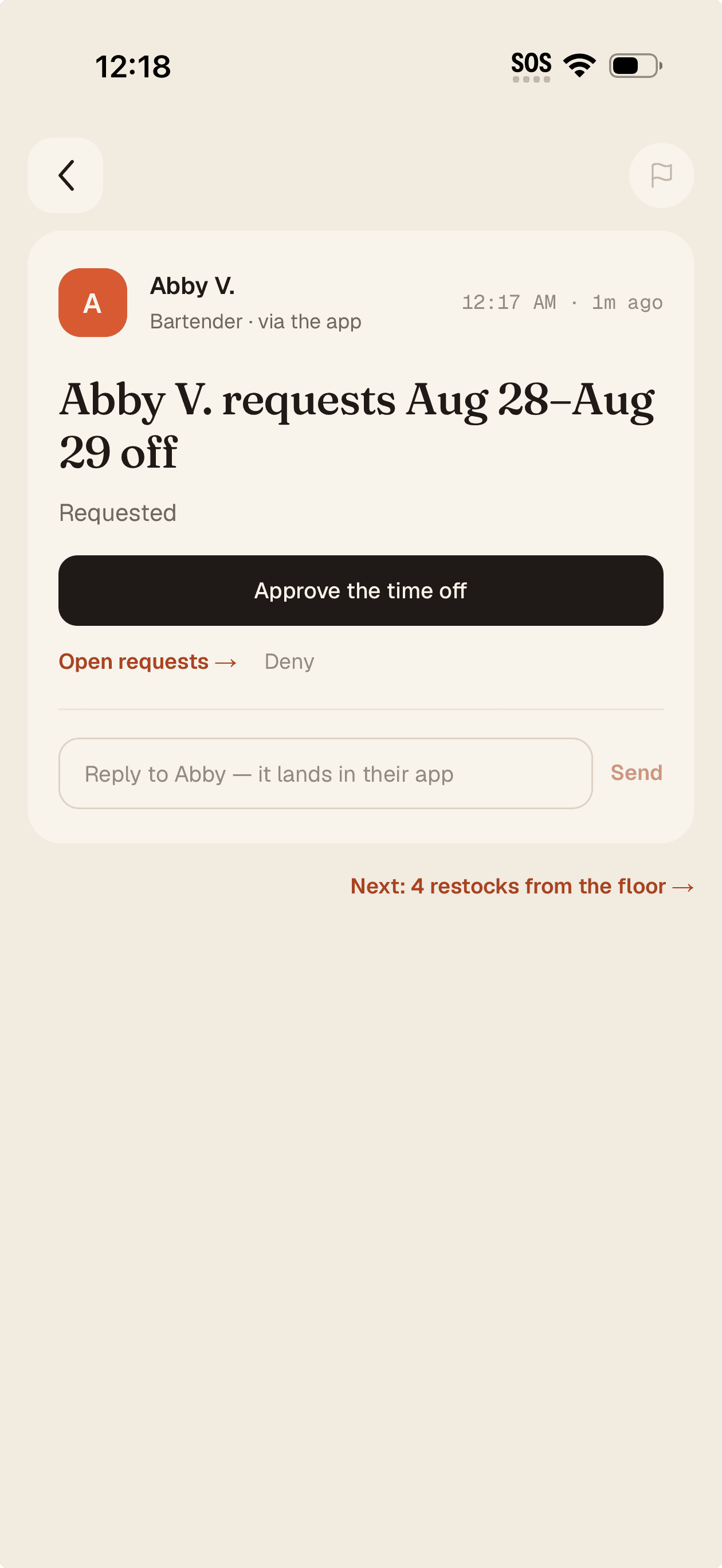
A server needs their shift covered? A teammate accepts, and it's one tap for you to approve. Time-off requests come in the same place — your side of it reads like a letter, with the approve button right there.
Teammate accepts → owner approves in one tap
Time-off requests in one queue
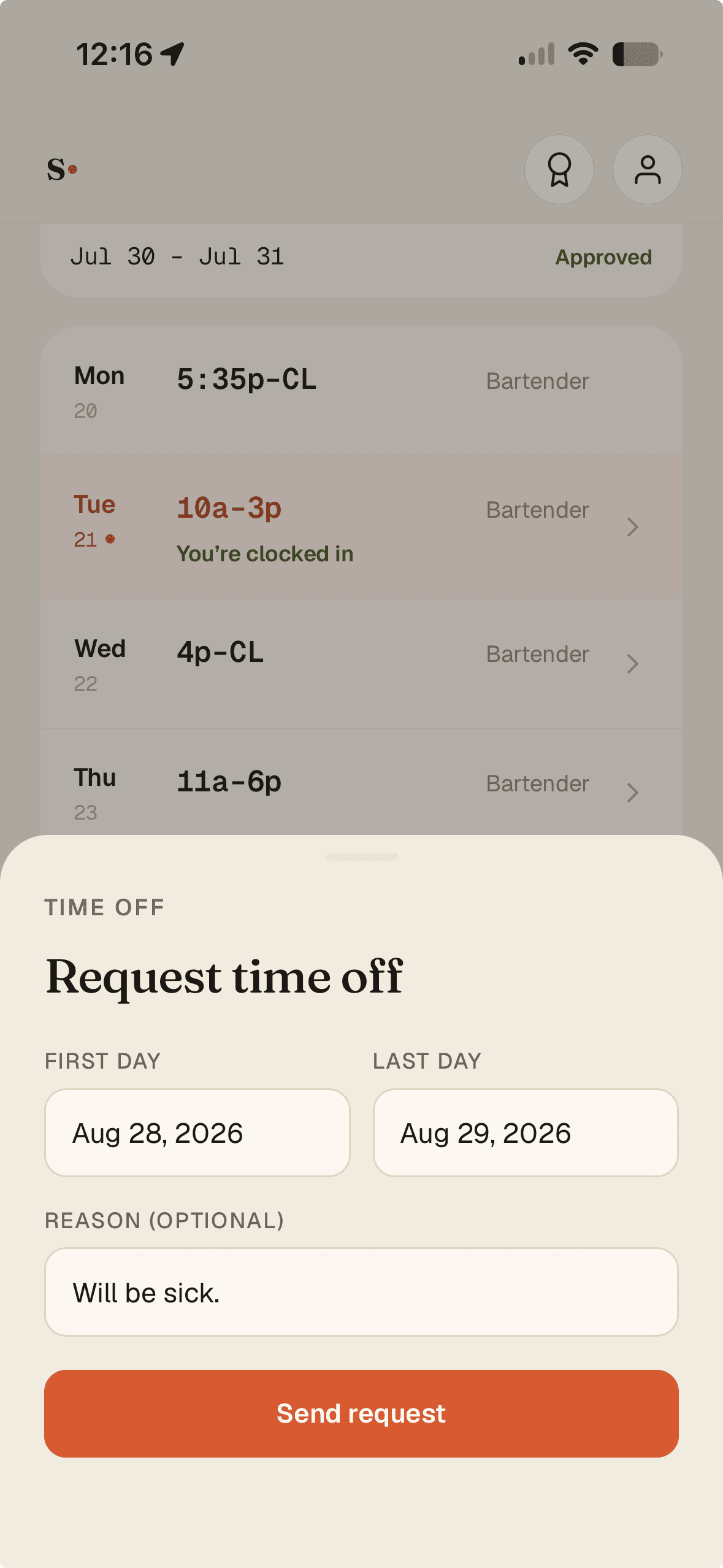
Can't come in
A last-minute callout, with a real answer
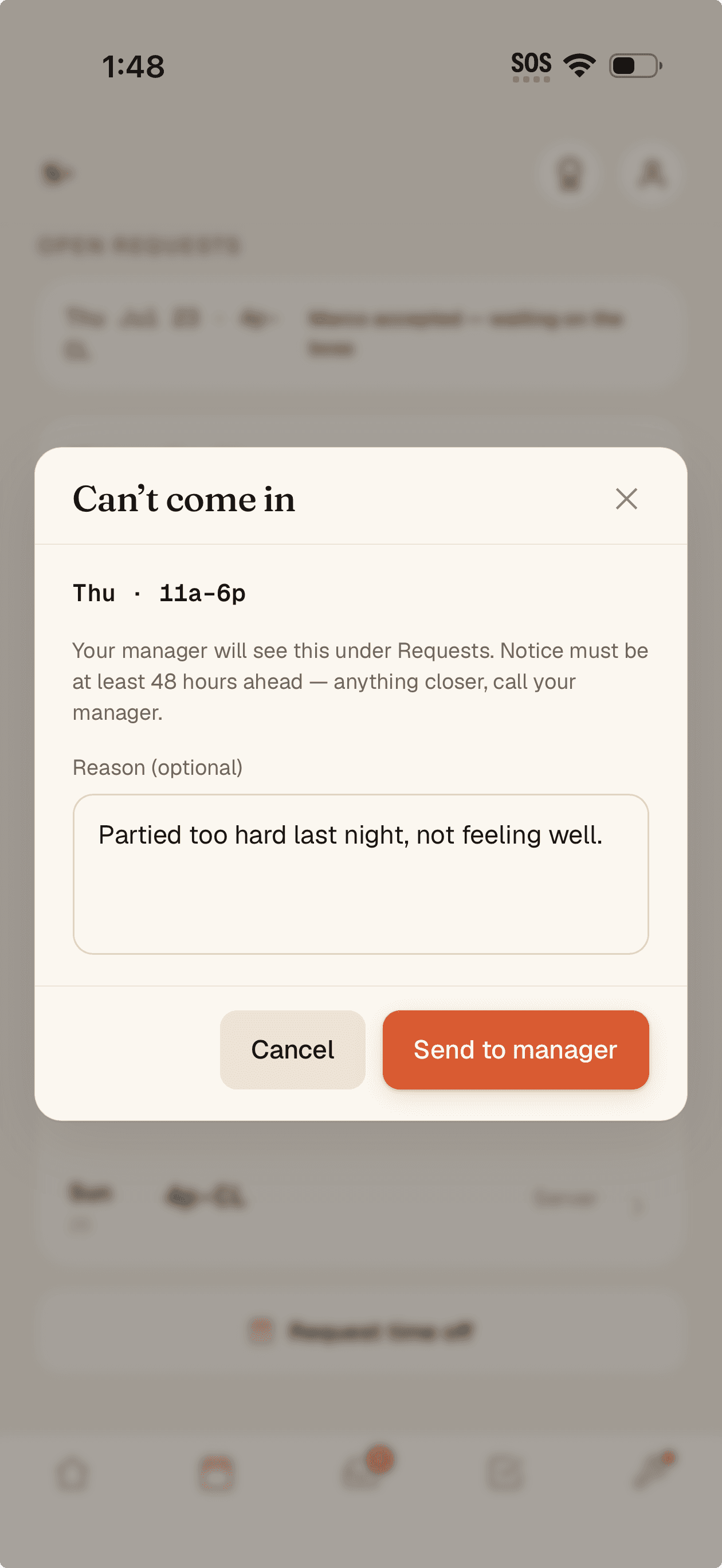
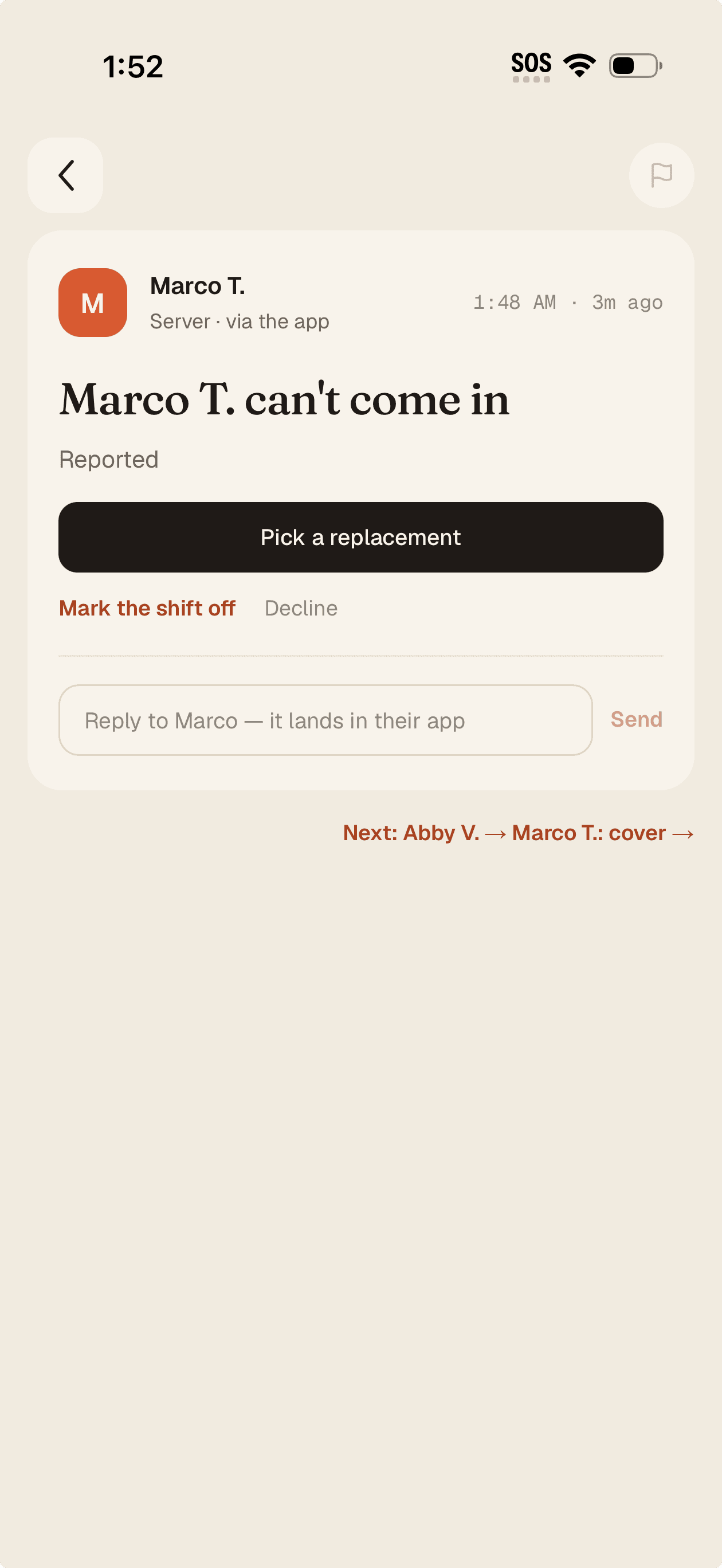
When someone can't make it, standley enforces your notice window on the server side — 48 hours or more routes to you as a request; anything shorter tells them to call their manager. You get a replacement picker for the whole department (with “Scheduled — double?” badges), or you broadcast the open shift and the first to accept takes it. Assign moves the shift instantly, and “Replaced by Sofia R.” is recorded on the day.
48h+ notice enforced server-side, not on the honor system
Replacement picker across the whole department
Broadcast an open shift — first to accept takes it
Common questions
How do staff pick up or drop shifts?
Staff request time off or offer a shift to be covered right in the app. A teammate accepts the cover, and you approve it in one tap. For last-minute callouts, you can assign a replacement from the whole department or broadcast the shift for the first available person to grab.
Can I reuse last week's schedule?
Yes. Copy last week forward, adjust what changed, and publish. Named shift presets mean you're placing “Lunch” or “Close,” not rebuilding times from scratch every week.
Does scheduling connect to the time clock and payroll?
It does. Published shifts become the “scheduled” side of labor, and the NFC time clock provides the “actual,” so you see scheduled vs. actual hours by person without any re-keying.
Publish next week in one sitting
Name your shifts, drop them on the grid, and hit publish. Your team sees it on their phones instantly. Free for 3 months — no credit card.
Product
Resources